
In short: For whole consulting decks with ready-made storylines that work with the AI assistant you already have in PowerPoint, without an extra add-in or subscription, the Consulting Slide Toolkit (our product, $79 one-time) is built for exactly that. For one specific deliverable in depth, Slideworks is strong. For a large collection of single slides, look at SlideModel or Envato Elements.
Disclosure: we make the Consulting Slide Toolkit, one of the five options below. We have tried to compare them fairly, using the facts each vendor states on its own website, and we say where another option is the better fit. Prices and features were checked on 18 November 2026 and may have changed since.
The options at a glance
| Price | What you get | Ready-made storylines | Optimised for AI in PowerPoint | |
|---|---|---|---|---|
| Consulting Slide Toolkit (slidefind) | $79 one-time | 170 slides, 7 storylines | Yes, 7 | Yes: AI Kit for Copilot, Claude or ChatGPT in PowerPoint, no extra add-in |
| Slideworks | From $129 per template; $499 one-time for all | Consulting Toolkit: 205 slides; templates for specific deliverables | For specific deliverables, such as the business case | Requires an extra add-in (AI-assisted search, Full Access Bundle only) |
| Deckary | From $15 a month, or $120 a year | PowerPoint add-in with a library of about 140 slides | No | Requires an extra add-in (AI features on the Premium plan) |
| SlideModel | From $24.90 for one day; from $59.90 for three months | Large library of single templates | No | Separate AI presentation maker on some plans |
| Envato Elements | From €14.50 a month, billed annually | Broad library of templates from many designers | No | No; AI tools for images and video |
How we compared
We looked at what matters when you build consulting decks, not single slides:
- Structure: does it tell you which slides to use for a deliverable, and in which order?
- Consistency: do all slides share one design, so a deck looks like one piece of work?
- Working with AI: can the assistant you already have in PowerPoint, such as Microsoft Copilot or the Claude and ChatGPT add-ins, use the templates well, without extra tools?
- Price model: one-time or subscription, and what it costs over a year.
- Licence: is client work allowed, as stated by the vendor?
1. Consulting Slide Toolkit (slidefind)
Best for: building whole consulting decks with a proven structure, by hand or with your AI assistant.
The Consulting Slide Toolkit is a PowerPoint toolkit with 170 slides and 7 ready-made storylines for common consulting documents: project kick-off, market and competition assessment, strategy final report, steering committee update, business case, operating model redesign and implementation plan. Each storyline tells you which slides to use, in which order. All slides share one consistent design.
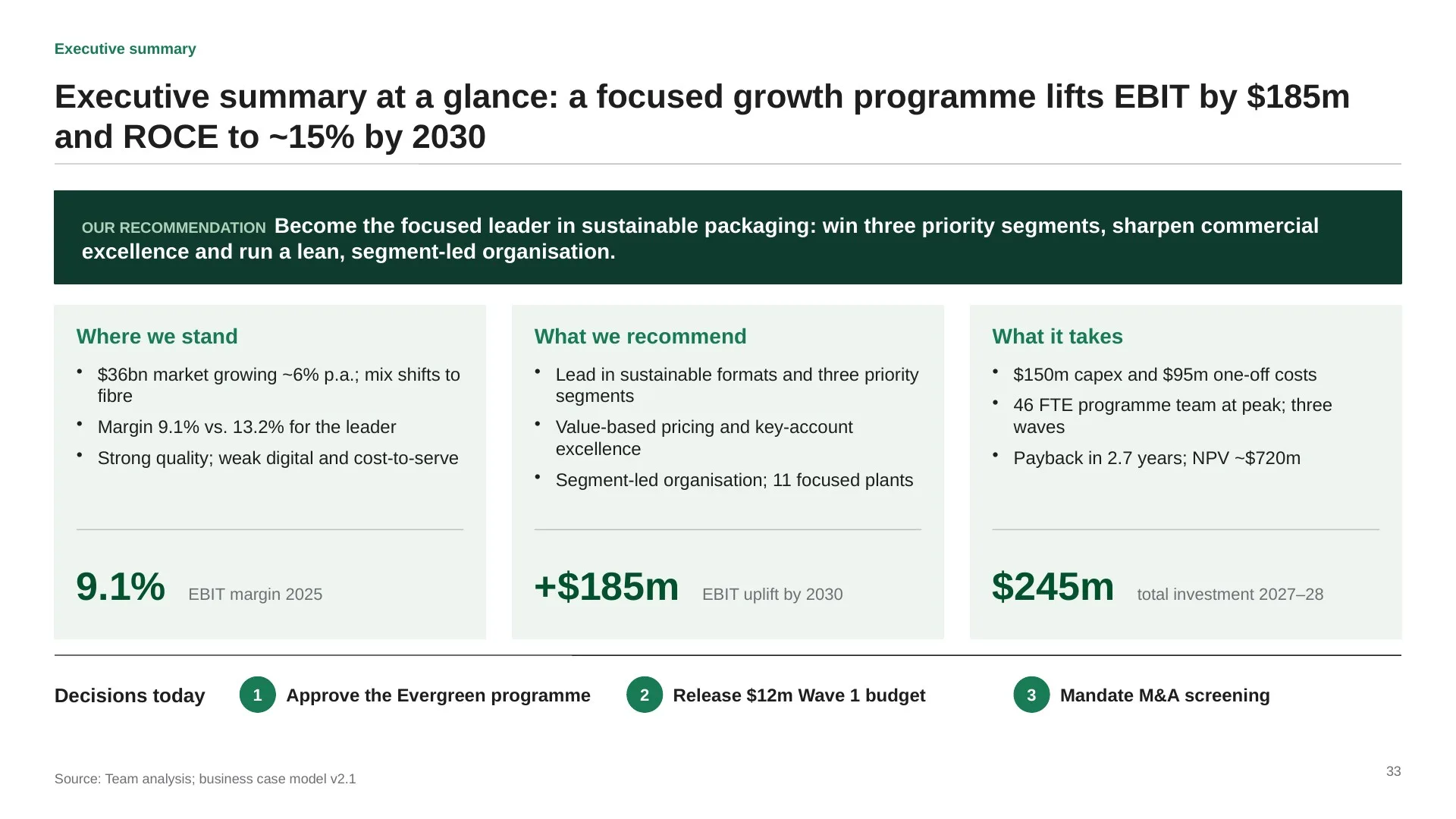
It is made to work with the AI assistant you already have in PowerPoint. The AI Kit, a slide catalogue and an AI brief, tells Microsoft Copilot or the Claude and ChatGPT add-ins what every slide is for and how much text fits, so the assistant picks the right slides and fills them to fit. No slidefind add-in and no subscription are needed.
It comes in two editions with the same pages: a Demo edition filled with a complete worked example, and a Blank edition to work in. Six colour themes and a three-step guide help you apply your own brand.
- Price: $79 one-time. All three slidefind toolkits as the Complete Bundle: $99.
- Licence: one person; client work allowed, including paid client work.
- Keep in mind: optimised for PowerPoint, not for Google Slides or Keynote.
2. Slideworks
Best for: one specific, in-depth deliverable, with Excel models.
Slideworks sells consulting templates by deliverable, such as a business case, a strategy or a due diligence. According to its website, the Business Case Template has 271 PowerPoint slides, five Excel models, a Word document and three full example cases, structured around situation, complication and resolution. The general Consulting Toolkit, with 205 slides and 15 frameworks, is described as built for pick-and-choose use.
- Price: Consulting Toolkit $129; Business Case Template $149, one-time; Full Access Bundle with all templates $499, one-time.
- Keep in mind: the deep deliverable templates are where it stands out. If you need storylines for several kinds of decks, the price adds up per template, and the AI features require an extra add-in.
3. Deckary
Best for: people who build slides every day and want extra tools inside PowerPoint.
Deckary is a PowerPoint add-in rather than a template pack: it adds a slide library of about 140 slides alongside productivity and AI features. Premium includes AI slide creation and rewriting. Its website states that all templates are licensed for personal and commercial use, including client presentations.
- Price: Starter $15 a month or $120 a year; Premium $19 a month or $180 a year; 14-day free trial.
- Keep in mind: requires an extra add-in and a subscription, and the slide library is smaller and not organised into storylines.
4. SlideModel
Best for: a large collection of single slides, when a consistent design across the deck matters less.
SlideModel is a large general template library with flexible plans, including a one-day pass. It includes a section of consulting-style templates and a separate AI presentation maker on some plans.
- Price: one day $24.90; three months from $59.90; annual plans from $99.90.
- Keep in mind: templates come one by one, in different designs, so building a consistent deck takes more work.
5. Envato Elements
Best for: a large collection of single slides, when a consistent design across the deck matters less.
Envato Elements is a subscription to a huge library of creative assets, including presentation templates from many independent designers. Its website states a commercial licence for each project you register.
- Price: Core from €14.50 a month billed annually, or €29 billed monthly; higher plans available. Prices shown excluding tax.
- Keep in mind: not consulting-specific. Designs and quality vary by author, and you can’t start new projects with the assets after you cancel.
Which one should you choose?
- You build full consulting decks and want to know which slides to use, in which order: the Consulting Slide Toolkit.
- You want Copilot, Claude or ChatGPT to build slides in PowerPoint without extra tools: the Consulting Slide Toolkit.
- You don’t want to depend on an external add-in or a subscription: the Consulting Slide Toolkit.
- You need one specific deliverable in depth, with Excel models: Slideworks.
- You want a large collection of single slides, and a consistent design matters less: SlideModel or Envato Elements.
If you also give business updates or pitches, the Complete Bundle adds the Business and Pitch toolkits for $99 in total.
Questions
What makes a PowerPoint template “consulting-style”?
Slides built around one message each, written as a full-sentence title, with the evidence below in charts, tables or frameworks. Consulting templates also cover typical deliverables such as executive summaries, business cases and implementation plans.
Are free consulting templates good enough?
For a single slide, often yes. For a whole deck, free templates rarely give you consistent layouts across many slide types, or guidance on which slides to use in which order.
Which consulting templates work with Copilot, Claude or ChatGPT in PowerPoint?
Any PowerPoint template can be opened by an AI assistant. The difference is whether the assistant knows what each slide is for and how much text fits. The slidefind toolkits include an AI Kit for this, which works with Microsoft Copilot and the Claude and ChatGPT add-ins. Slideworks and Deckary require an extra add-in for their AI features.
Can I use these templates for client work?
Licences differ by vendor, so check each one before you use slides in client deliverables. The slidefind licence allows client work, including paid client work. Deckary and Envato Elements state commercial use on their own pages.
About slidefind: PowerPoint toolkits created and hand-picked by experts. Developed with professionals from consulting, finance, start-ups and academia.